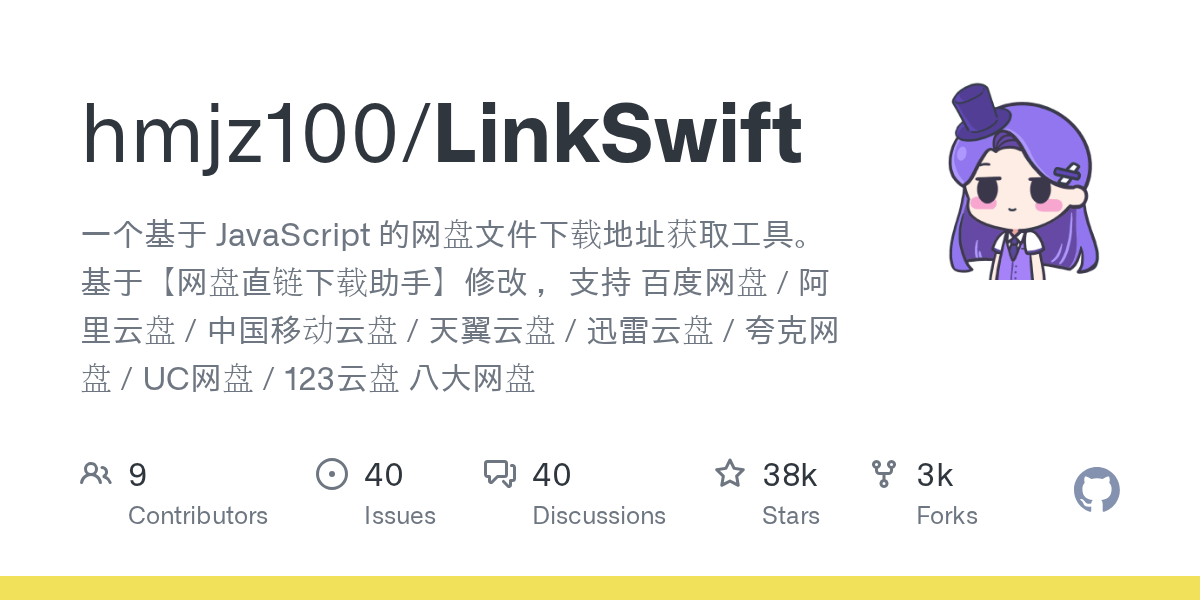
Inside hmjz100/LinkSwift: Architecture & Production Teardown — How Does It Work in Production?
TL;DR: hmjz100/LinkSwift is a high-performance JavaScript-based extraction tool that bypasses restrictive web UIs to retrieve raw, direct API download links from nine major cloud storage providers (including Baidu, Aliyun, and 123pan). Boasting over 37,800 stars on GitHub, it serves as a critical client-side bridge for automated data ingestion pipelines, allowing engineers to route massive payloads directly to multi-threaded downloaders like Aria2 or orchestrate headless retrieval workflows using AI agent frameworks like the Google Agent Development Kit (ADK).
What Is Inside hmjz100/LinkSwift: Architecture & Production Teardown & Why Is It Blowing Up?
In the modern landscape of distributed systems and machine learning, data gravity is a persistent architectural friction point. Massive datasets, pre-trained model weights, and compiled binaries are frequently hosted on consumer-facing cloud storage platforms (such as Baidu Netdisk, Aliyun Drive, or Quark). However, these platforms inherently design their web interfaces as "walled gardens," forcing users into proprietary desktop clients, throttling browser-based downloads, and obfuscating direct asset URIs behind complex, token-based DOM structures.
Enter hmjz100/LinkSwift, an open-source JavaScript userscript that fundamentally dismantles this artificial friction. Originally based on the legacy "Baiduyun Direct Link Assistant" by youxiaohou, LinkSwift has been heavily refactored and expanded by its current maintainer to support nine distinct cloud platforms (Baidu, Aliyun, China Mobile, Tianyi, Xunlei, Quark, UC, 123pan, and Guangya). It is blowing up on GitHub—amassing over 37,800 stars and 2,700 forks—because it provides a deterministic, programmatic escape hatch from these walled gardens.
Instead of relying on brittle web scraping, LinkSwift intercepts the underlying network requests and leverages the cloud providers' own public APIs to extract the raw, unthrottled download URLs. It then seamlessly pipes these URLs into high-performance, multi-threaded download managers like Aria2, IDM (Internet Download Manager), AB Download Manager, or raw cURL commands. For systems engineers and AI practitioners, this transforms a manual, click-heavy chore into a scriptable, high-throughput data ingestion pipeline.
Real-World Field Use Cases & Implementation Ideas
When we evaluate LinkSwift through the lens of production engineering and automated systems, it ceases to be just a browser extension and becomes a critical edge-node data extraction tool. Here is how engineering teams are leveraging this architecture in the field:
1. Developer Platform Integration: Automated Dataset Ingestion for AI Models
- The Everyday Problem: AI research teams frequently share massive datasets (e.g., 50GB+ image corpora or LLM checkpoints) via platforms like Baidu Netdisk or Aliyun. Manually downloading these to a local machine and then re-uploading them to an AWS S3 bucket or a GPU cluster is a massive waste of bandwidth and engineering hours.
- How It Works in Practice: Engineers can deploy a headless browser (e.g., Puppeteer or Playwright) equipped with a Tampermonkey extension running the LinkSwift script. This headless client is orchestrated by an AI agent built on the Google Agent Development Kit (ADK). The ADK agent navigates to the shared link, LinkSwift extracts the raw API URL, and the agent triggers an Aria2 RPC call directly on the target GPU cluster to pull the data.
- The Tangible Impact: Bypasses local network bottlenecks entirely. Data moves directly from the cloud provider's CDN to the training cluster, reducing dataset acquisition time from days to hours while completely automating the ingestion pipeline.
2. Concurrency & Memory Footprint: High-Throughput CI/CD Artifact Retrieval
- The Everyday Problem: Distributed teams often use cost-effective cloud drives to store large compiled binaries, Docker image tarballs, or game engine assets. Standard browser downloads are single-threaded and prone to timeouts, leading to flaky CI/CD pipeline runs.
- How It Works in Practice: LinkSwift features native RPC integration with Aria2 and BitComet. In a CI/CD pipeline, a runner can utilize LinkSwift's extracted links to dispatch a multi-connection download request (e.g., 16 concurrent connections per file). As noted in the LinkSwift releases (specifically v1.1.2), the tool now includes enhanced support for multi-block, multi-threaded downloading.
- The Tangible Impact: Maximizes network interface utilization. P99 latency for artifact retrieval drops significantly, and memory footprint remains stable because the actual I/O is handled by a highly optimized C++ daemon (Aria2) rather than a bloated browser process.
3. Build-vs-Buy Adoption Verdict: Cost-Effective Storage Bridging
- The Everyday Problem: Enterprise object storage (like AWS S3 or GCS) charges significant egress fees. For distributing massive, non-sensitive public assets (like open-source software releases or community datasets), these egress costs can become prohibitive.
- How It Works in Practice: Organizations can host their large public assets on consumer cloud drives (which offer terabytes of storage for a fraction of the cost). They can then provide LinkSwift as the recommended "client-side API adapter" for their technical users, or wrap LinkSwift's logic in a lightweight proxy service that generates temporary direct links for CLI users.
- The Tangible Impact: Drastically reduces cloud infrastructure egress costs. The trade-off is operational complexity and reliance on third-party platform stability, but for open-source or community-driven projects, the financial savings are substantial.
Under the Hood: Architecture & Design Choices
Architecturally, LinkSwift operates as a highly privileged client-side micro-application injected directly into the Document Object Model (DOM) of the target cloud drive. Because it must operate in a hostile environment—where cloud providers actively obfuscate their front-end code (e.g., React/Vue SPAs with minified, randomized class names)—LinkSwift's design choices prioritize execution priority, state interception, and secure token management.
Execution Context and DOM Injection
A critical architectural shift occurred in LinkSwift v1.1.0, where the script execution phase was migrated from document-body to document-start. In modern Single Page Applications (SPAs), waiting for the body to load often means the application's core JavaScript has already initialized its state and established WebSocket or XHR connections. By injecting at document-start, LinkSwift can monkey-patch native browser APIs (like XMLHttpRequest or fetch) and intercept the initialization of global variables before the cloud provider's proprietary code locks them down.
Furthermore, LinkSwift employs a modular UI injection strategy. It utilizes SweetAlert2 for modal dialogues and Font Awesome for iconography, dynamically injecting these assets into the page. To prevent CSS conflicts with the host site, it carefully scopes its styles and, as of recent updates, dynamically modifies the UI based on the detected theme (Dark Reader compatibility and hot-swappable dark modes).
Security and Token Management
One of the most significant design choices in recent iterations is the deprecation of raw Cookie extraction in favor of OAuth-style AccessTokens. As documented in the v1.1.1.6 release notes, LinkSwift abandoned the legacy BDUSS Cookie method for Baidu Netdisk. Cookies are inherently vulnerable to session hijacking and are heavily monitored by anti-bot systems. Instead, LinkSwift now securely negotiates an AccessToken via the provider's public API endpoints. This token is scoped, temporary, and significantly more resilient to platform-side security updates.
The Orchestration Layer: Integrating with Google ADK
While LinkSwift handles the client-side extraction, modern production systems require orchestration. This is where frameworks like the Google Agent Development Kit (ADK) come into play. ADK 2.0 introduces Graph Workflows, allowing engineers to weave deterministic code with adaptive AI reasoning.
An ADK agent can be designed to treat LinkSwift as a "Custom Tool." The agent's graph workflow can handle the authentication state, instruct a headless browser to execute the LinkSwift payload, parse the resulting direct URL, and then trigger a downstream data processing node. If the cloud provider alters their DOM and the extraction fails, the ADK Graph Workflow can catch the exception, trigger a retry mechanism, or use an LLM to dynamically analyze the new DOM structure and suggest a patch.
Architecture Diagram
Below is a Mermaid flowchart illustrating the execution pipeline of LinkSwift, from DOM injection to API extraction, and how it interfaces with external download daemons and AI orchestrators like Google ADK.
flowchart LR
    subgraph ClientEnvironment["Headless Browser / User Client"]
        direction TB
        A[Browser Navigates to Cloud Drive URL] --> B{Tampermonkey Engine}
        B -->|document-start| C[LinkSwift Script Injected]
        C --> D[Monkey-Patch XHR/Fetch]
        C --> E[Extract AccessToken / Auth State]
        D --> F[Intercept API Responses]
        E --> G[Construct Direct API Request]
    end

    subgraph CloudProvider["e.g., Baidu, Aliyun, 123pan"]
        G -->|Authenticated Request| H[Public API Endpoint]
        H -->|JSON Response| I[Raw Direct Download URL]
    end

    subgraph Execution & Orchestration [Downstream Systems]
        direction TB
        I --> J{LinkSwift Dispatcher}
        J -->|JSON-RPC| K[Aria2 / BitComet Daemon]
        J -->|CLI String| L[cURL / IDM]
        J -->|Webhook/API| M[Google ADK Agent Workflow]

        M --> N[Data Ingestion Node]
        M --> O[Error Handling / Retry Graph]
    end

    style C fill:#f9f,stroke:#333,stroke-width:2px
    style H fill:#bbf,stroke:#333,stroke-width:2px
    style M fill:#bfb,stroke:#333,stroke-width:2px
Hands-On Quickstart & Code Walkthrough
Because LinkSwift is a userscript, "installation" does not involve pip or cargo. Instead, it requires a userscript manager (like Tampermonkey or Violentmonkey) installed in your browser or headless environment.
1. Installation
As explicitly stated in the hmjz100/LinkSwift repository, you should avoid third-party scrapers (like GreasyFork) to ensure you receive timely updates and avoid malicious modifications. The official installation sources are:
Stable Release (Main Branch):
- GitHub:
https://github.com/hmjz100/LinkSwift/raw/main/(改)网盘直链下载助手.user.js
- Gitee (For users in China):
https://gitee.com/hmjz100/LinkSwift/raw/main/(改)网盘直链下载助手.user.js
Canary Release (Dev Branch - Unstable):
- GitHub:
https://github.com/hmjz100/LinkSwift/raw/dev/(改)网盘直链下载助手.user.js
Clicking any of these links with Tampermonkey installed will automatically prompt the installation interface.
2. Code Walkthrough: The Userscript Metadata
Understanding how LinkSwift hooks into the browser requires looking at its metadata block. This dictates execution permissions and target URLs.
// ==UserScript==
// @name         (改)网盘直链下载助手
// @namespace    https://github.com/hmjz100/LinkSwift
// @version      1.1.3
// @description  一个基于 JavaScript 的网盘文件下载地址获取工具...
// @author       hmjz100
// @match        *://pan.baidu.com/*
// @match        *://yun.baidu.com/*
// @match        *://www.aliyundrive.com/*
// @match        *://www.alipan.com/*
// @match        *://www.123pan.com/*
// @match        *://pan.quark.cn/*
// @run-at       document-start
// @grant        GM_xmlhttpRequest
// @grant        GM_setValue
// @grant        GM_getValue
// @connect      *
// ==/UserScript==
Architectural Note: The @run-at document-start directive is crucial here, as discussed in the architecture section. The @grant GM_xmlhttpRequest allows the script to bypass standard Cross-Origin Resource Sharing (CORS) restrictions, enabling it to communicate with local RPC servers (like Aria2 at http://localhost:6800/jsonrpc) or remote APIs seamlessly.
3. Orchestrating LinkSwift with Google ADK (Conceptual)
To elevate this from a manual browser tool to a production system, we can use the Google Agent Development Kit (ADK) to build an agent that drives a headless browser, executes the LinkSwift logic, and retrieves the data.
Here is a conceptual TypeScript implementation using ADK 2.0's Tool interface to wrap the extraction process:
import { LlmAgent } from '@google/adk';
import { defineTool } from '@google/adk/tools';
import { chromium } from 'playwright'; // Used to drive the headless browser

// Define a Custom Tool in ADK that utilizes LinkSwift's logic
const extractCloudDriveLink = defineTool({
  name: 'extract_cloud_drive_link',
  description: 'Navigates to a Baidu/Aliyun share link and extracts the direct download URL using LinkSwift logic.',
  parameters: {
    type: 'object',
    properties: {
      shareUrl: { type: 'string', description: 'The public share link of the cloud drive.' },
      password: { type: 'string', description: 'The extraction password, if any.' }
    },
    required: ['shareUrl']
  },
  execute: async ({ shareUrl, password }) => {
    // 1. Launch headless browser
    const browser = await chromium.launch({ headless: true });
    const context = await browser.newContext();
    const page = await context.newPage();

    // 2. Navigate to the target URL
    await page.goto(shareUrl);

    // 3. In a real scenario, you would inject the LinkSwift JS payload here
    // await page.addInitScript({ path: './LinkSwift.user.js' });

    // 4. Simulate the extraction process (waiting for LinkSwift to populate the DOM)
    // LinkSwift exposes the API link to the UI, which we can scrape programmatically
    await page.waitForSelector('.linkswift-download-btn', { timeout: 15000 });
    const directUrl = await page.evaluate(() => {
        // Retrieve the URL generated by LinkSwift's API call
        return document.querySelector('.linkswift-download-btn').getAttribute('data-url');
    });

    await browser.close();
    return { status: 'success', directUrl: directUrl };
  }
});

// Initialize the ADK Agent with the Custom Tool
const dataIngestionAgent = new LlmAgent({
  name: 'DataIngestionBot',
  model: 'gemini-flash-latest',
  instruction: 'You are an automated data ingestion engineer. Use the extract_cloud_drive_link tool to bypass cloud drive UIs and retrieve raw download URLs. Once retrieved, format them for Aria2 RPC ingestion.',
  tools: [extractCloudDriveLink],
});

// Example Execution
async function runIngestion() {
    const response = await dataIngestionAgent.run(
        "Extract the direct link for this dataset: https://pan.baidu.com/s/1example URL and password 'abcd'"
    );
    console.log(response);
}
This integration demonstrates how ADK's deterministic tool-calling can harness the chaotic, DOM-dependent nature of LinkSwift, wrapping it in a reliable, retry-capable agentic workflow.
My Honest Verdict: Where It Fits in Your Stack (Pros & Trade-offs)
Evaluating LinkSwift requires separating its utility as a consumer tool from its viability as a production engineering component.
The Strengths (Pros)
- Unmatched Breadth of Support: Supporting nine different cloud providers (including recent additions like UC Netdisk and 123pan) in a single unified codebase is a massive achievement. It abstracts away the wildly different API structures of Baidu versus Aliyun into a single, predictable UI/UX.
- Active, Responsive Maintenance: Cloud providers constantly update their DOMs to break scrapers. The LinkSwift releases page shows a relentless cadence of updates (e.g., fixing 123pan video thumbnail bugs in v1.1.1.9, adapting to Aliyun's new
alipan.com domain in v1.0.8.3). This active maintenance is crucial for any tool relying on undocumented APIs.
- High-Performance Handoff: By natively supporting JSON-RPC pushes to Aria2 and BitComet, LinkSwift ensures that the actual heavy lifting of downloading is offloaded to optimized, multi-threaded C++ binaries, completely bypassing browser memory limits.
The Limitations (Trade-offs)
- Inherent Fragility of DOM/API Scraping: LinkSwift operates in a perpetual cat-and-mouse game with cloud providers. Because it relies on public, undocumented APIs and specific DOM structures, a single frontend update by Baidu or Quark can break the script instantly. Teams building automated pipelines around this must implement robust error handling (like the Graph Workflows in Google ADK) to gracefully handle these inevitable breakages.
- Client-Side Execution Requirement: Unlike a standard REST API wrapper written in Python or Go, LinkSwift is fundamentally tied to the browser environment. To use it programmatically, you must incur the overhead of running a headless browser (Puppeteer/Playwright) to execute the JavaScript context, which increases CPU and memory overhead compared to a pure HTTP client.
- Authentication Bottlenecks: While moving to AccessTokens (v1.1.1.6) improved security, obtaining those tokens still requires a valid, logged-in session. For enterprise automation, managing and rotating these session states inside a headless browser cluster is a non-trivial infrastructure challenge.
The Final Verdict
If you are an engineer looking to quickly pull down a 100GB dataset or a massive open-source model checkpoint hosted on a Chinese cloud drive, hmjz100/LinkSwift is an absolute must-have in your personal toolkit. It is lightweight, aggressively maintained, and highly effective.
However, if you are considering integrating it into a mission-critical, zero-downtime production pipeline, proceed with caution. The tool is brilliant, but the underlying medium (undocumented cloud drive APIs) is inherently unstable. To use it at scale, you must wrap it in a resilient orchestration layer—such as a Google ADK agent—that can handle timeouts, manage headless browser state, and alert human operators when the cloud providers inevitably change their locks. Used correctly as an edge-extraction tool within a broader, fault-tolerant architecture, LinkSwift is a formidable piece of engineering.